
Office Actions
Watch closely.
Every claim comes with its source. Every Office Action response comes with its reasoning. ClaimMark-P reads the action, pulls the art, and drafts amendments and arguments you can verify line by line.
- 1
Import
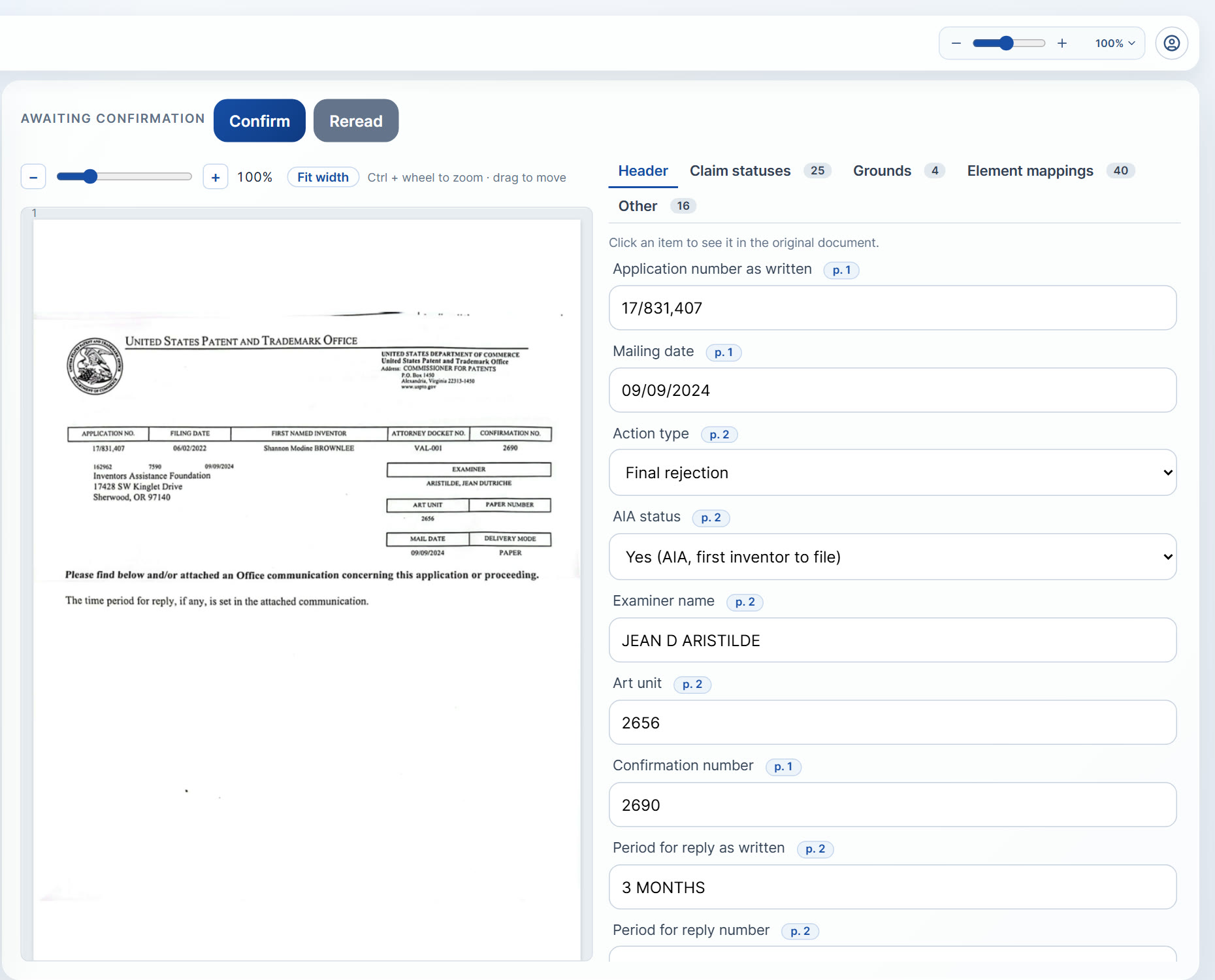
Enter an application, publication, or patent number and ClaimMark-P retrieves the Office Action and the file wrapper documents from the USPTO. Or upload the PDF or Word file yourself.
- 2
Read
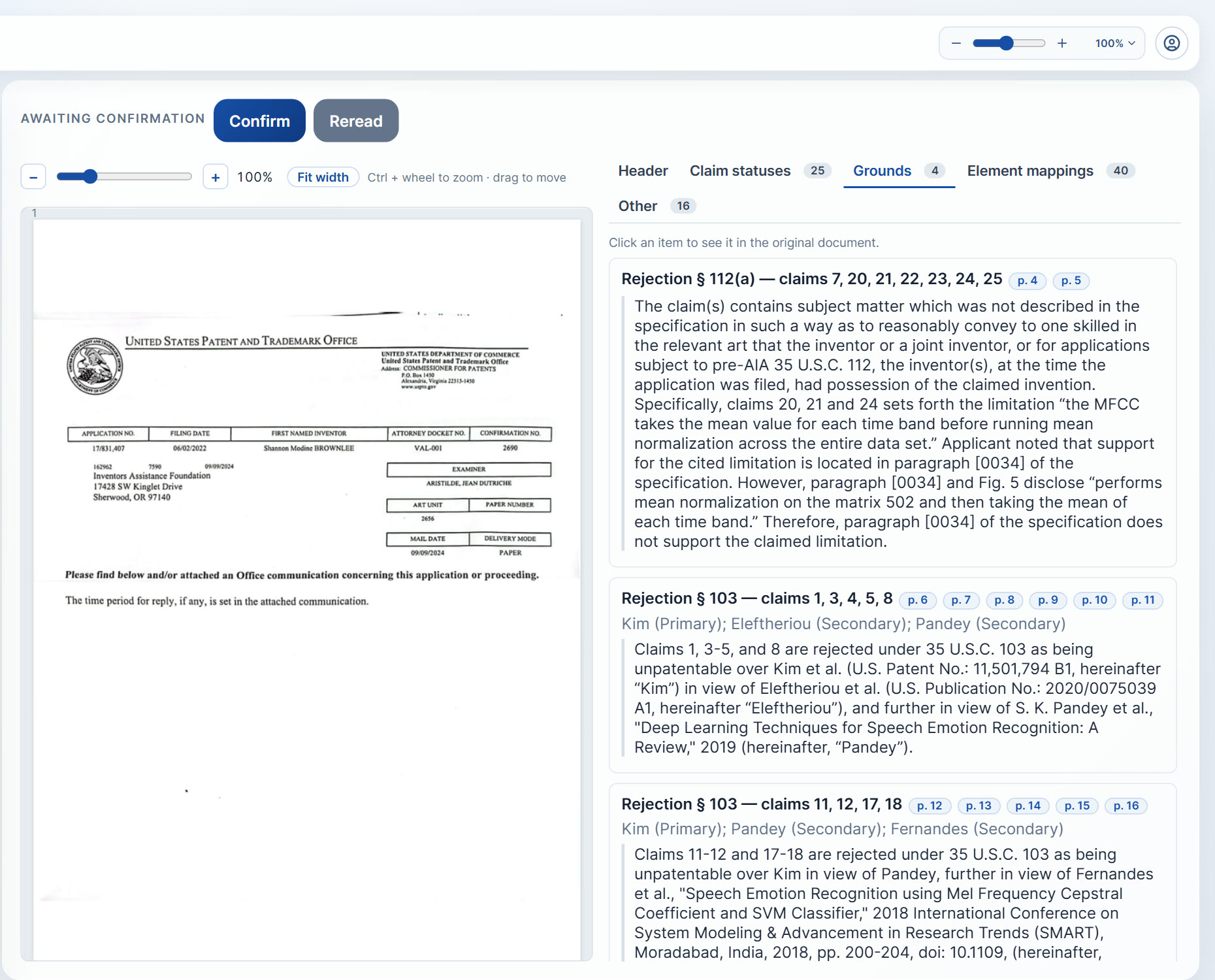
Every rejection and objection is identified: §101, §102, §103, §112, double patenting, and claim objections, with the examiner's pin cites to each reference preserved.
- 3
Map
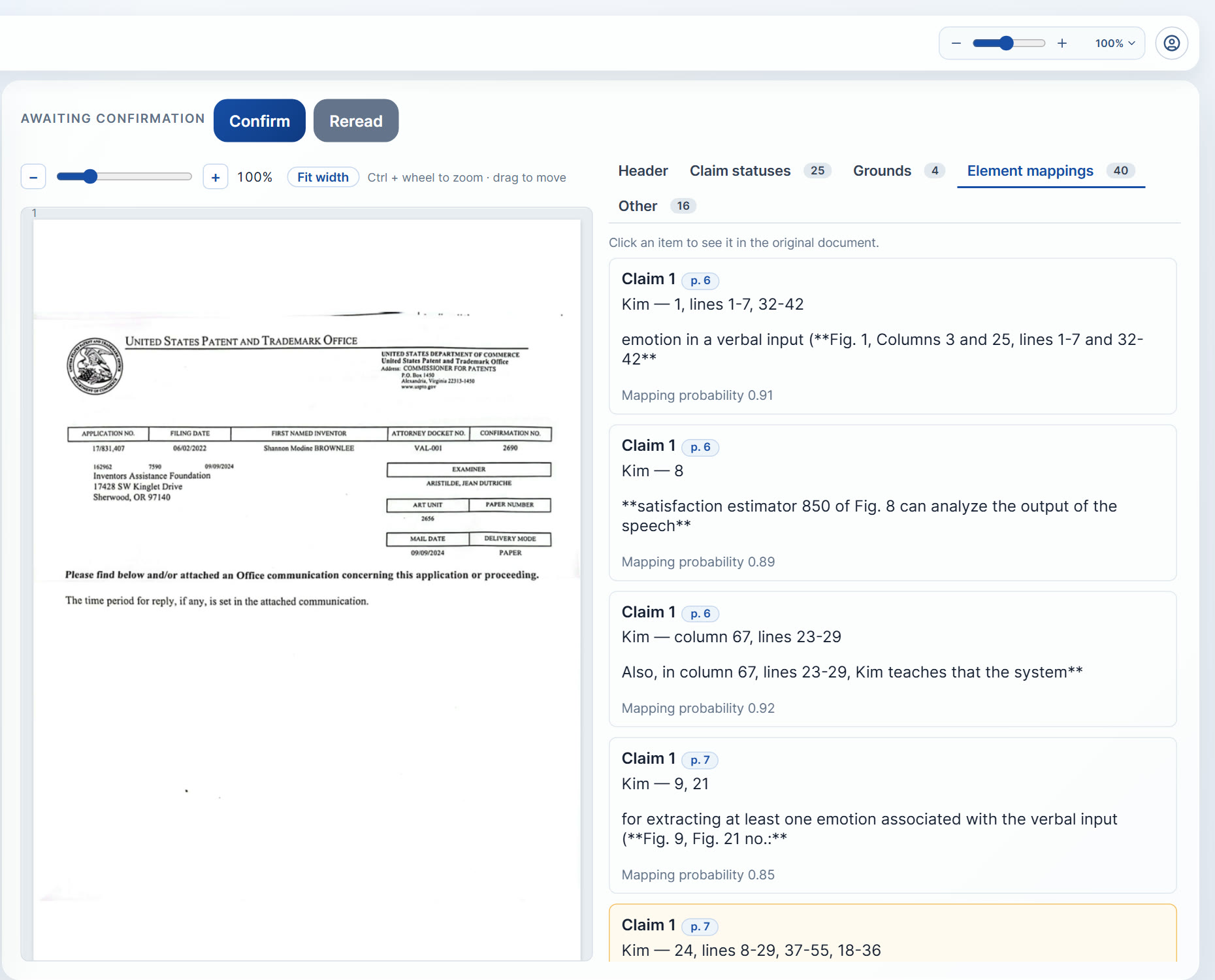
Cited references are pulled and, for each rejection, the corresponding claim elements are mapped against the cited art, so you can immediately see where the examiner's reading is strong and where it overreaches.
- 4
Strategize
ClaimMark-P proposes amendment and argument options for each rejection, each one grounded in your specification and the reference text. You choose the path.
- 5
Draft
Claim amendments with specification support cited for every added limitation, remarks that address each ground of rejection, and a response you can export and edit.
Accuracy you can check
We measured how well it reads.
Across nine real Office Actions and 3,478 claim numbers, paragraph numbers, and pin citations, ClaimMark-P's document reading misread none. Where the model's interpretation is less certain, the response draft shows it, so you know where to look.
Built for prosecution practice
Works with the matters you already have.
- • Prepare in-depth responses and any necessary claim amendments, whether the application was drafted in ClaimMark-P or elsewhere.
- • Large file wrappers are flagged up front, and you decide what to include.
- • Work items can be reserved, forwarded, and reassigned across the practice group.
- • Every attorney who changed the matter is recorded on it.